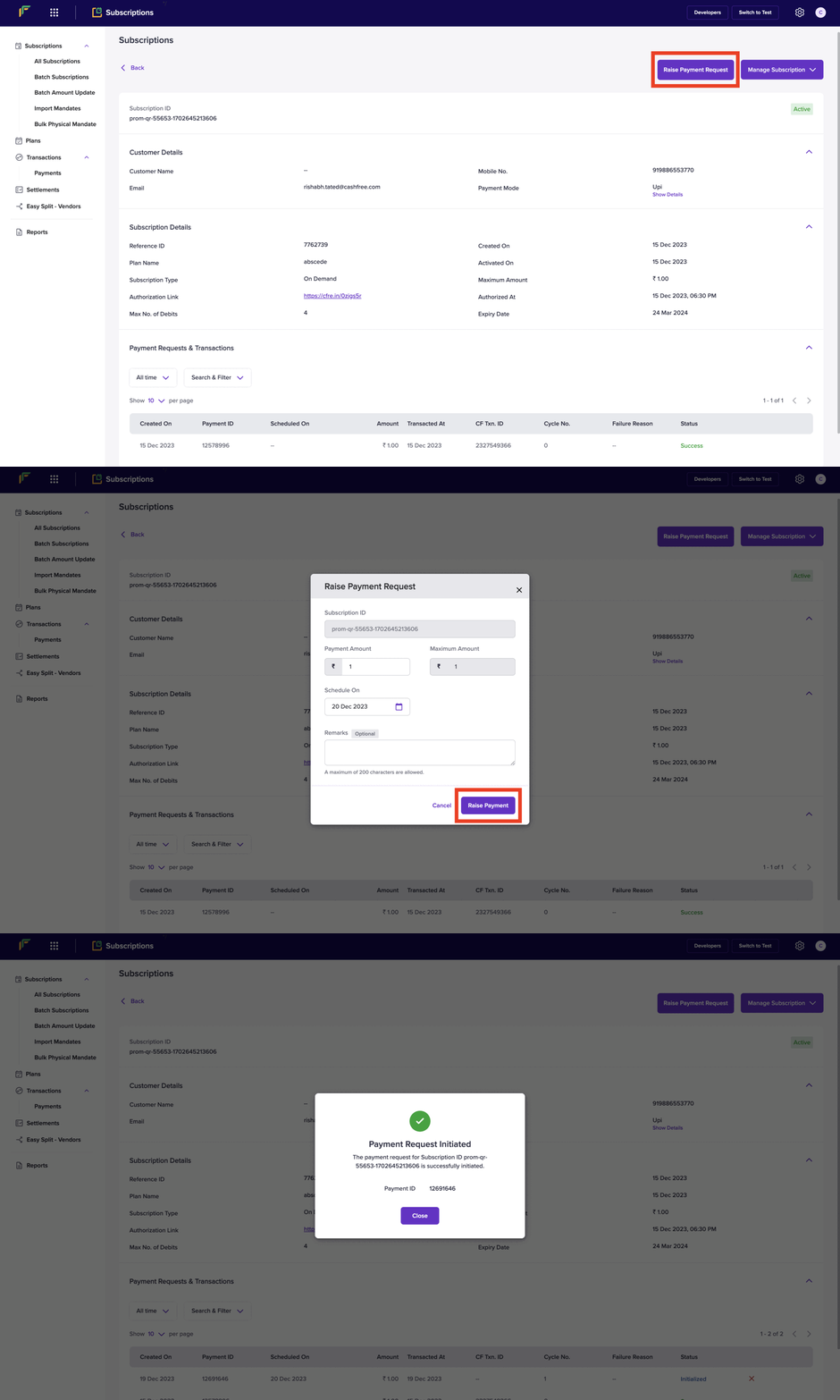
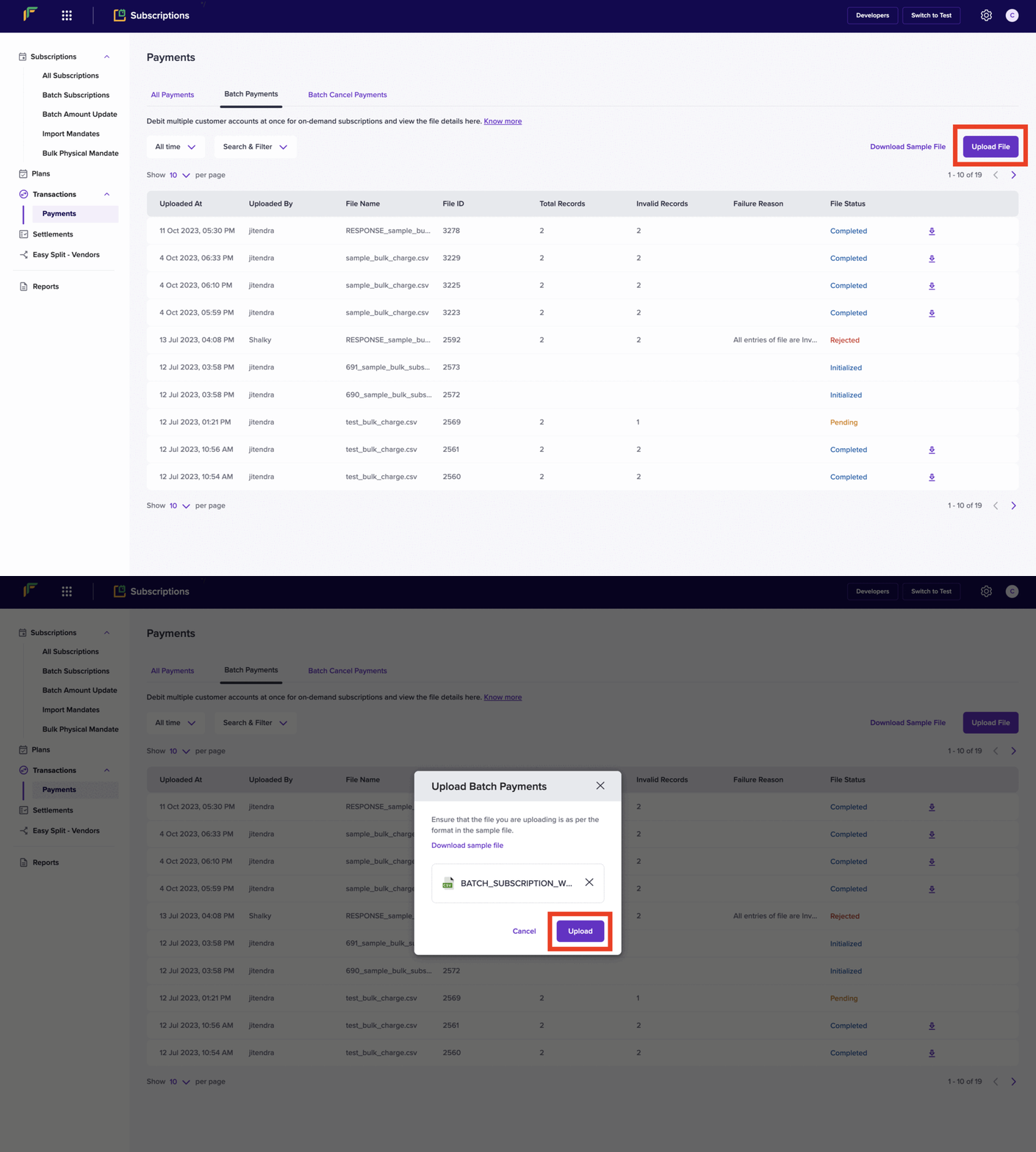
Learn how to charge your customer on an active subscription
Collect payments for your subscriptions manually through the dashboard, in bulk, or using the Charge Subscription API. Cashfree Payments processes each transaction and confirms payment collection from your customer.For periodic subscriptions, Cashfree automatically initiates payments on your behalf at each billing interval. For on-demand subscriptions, you will need to manually charge your customer as needed.
Dashboard
API
You can either raise a single charge from a dashboard or you can raise multiple charges by uploading a file.
You can also create a new charge using the Charge Mandate API.
Raising charges on multiple subcriptions at once is not supported via API currently.
Depending on the payment method the charge you have created might be updated asynchronously. In some cases where customer’s bank account does not have sufficient funds the charge attempt will fail. Here are the states which a charge will go through:
Transaction State
Description
INITIALIZED
This state indicates that the transaction is initialized.
PENDING
Transaction is pending while being processed and sent to the appropriate bank for approval.
SUCCESS
Transaction is completed successfully. A success notification is received from the bank, and a success webhook is triggered to notify this.
FAILED
Transaction has failed. A failure notification is received from the bank, and a failed webhook is triggered to notify this.
CANCELLED
This state indicates that the on-demand transaction has been cancelled.